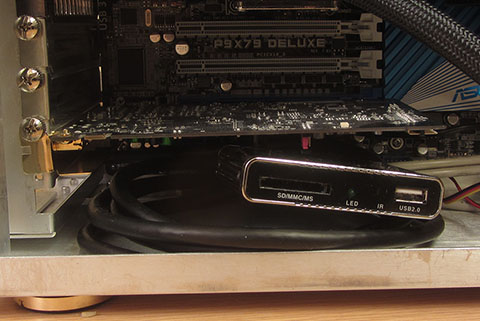
 I bought a cheap media player with HDMI output capability, and it works perfectly with the Auzentech X-Fi HomeTheater HD. Without you would have to provide the dummy signal from you graphics card, and that meant having an emtpy screen area your mouse could dissapear to. Since the hdmi signal is always on, this solution has the added benefit that you hear the Windows startup and logon sounds. I have not yet tested DTS, DD or DTS Master HD.
The media player I used is a BaiYuYi Mini Hdmi Media Player. An Altona AT-HDVIEW should work and the Raspberry Pi. The BaiYuYi does not turn off the display or shut down after a certain time, it is on all the time.
Warning: this media player does not support HDCP so you won’t be able to pass-through DTS-MA or DD TrueHD, but you can decode the audio with the player and send uncompressed 8 channel PCM through.